How to Choose Equipment for Screen Printing on Metal in 2026

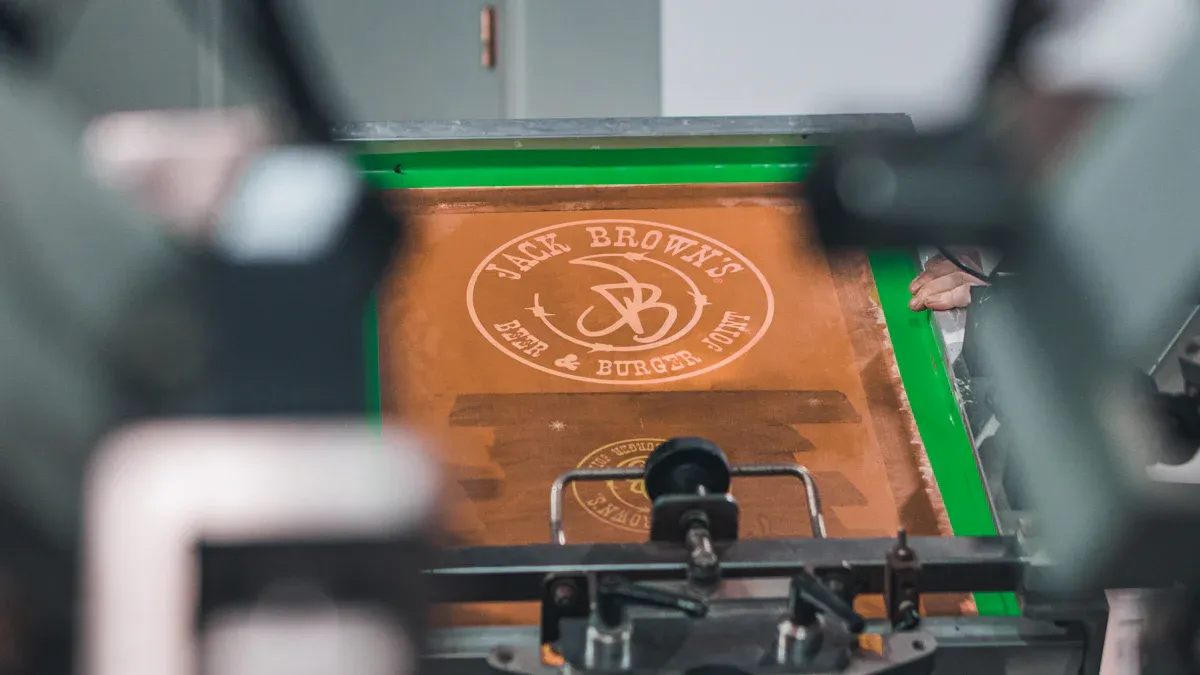
If you want great results with screen printing on metal, you need to focus on the right equipment and material. Your choice of material for the mesh, ink, and other parts changes how your prints look and how fast you can work. For screen printing on metal, the type of steel mesh matters a lot. It decides how much ink goes through and how sharp your prints turn out. You will notice that different mesh materials wear out at different speeds, which can slow down your work. Dimensional stability in your mesh keeps your registration tight, so your screen printing on metal stays crisp. You should look for tools like solvent-based inks, squeegees with the right stiffness, and temperature control gadgets. These all help you get the best results with screen printing on metal. Start by matching your material and tools to your needs. This will help you feel confident with every screen printing on metal project.
Mesh composition affects print sharpness and ink flow.
Mesh material changes how long your setup lasts.
Stable mesh keeps your screen printing on metal accurate.
Project Needs for Screen Printing on Metal
Metal Types and Surface Prep
You want your prints to stick well and look sharp. Start by picking the right metal for your project. Some of the most common metals you’ll see are high-grade aluminum, copper, brass, and steel. Each metal has its own personality. Aluminum feels light and resists rust. Copper and brass give you a shiny finish. Steel stands strong and lasts a long time.
Before you print, you need to prep the surface. Clean the metal with a gentle scrub or a special cleaner. This removes dust and oil. If you skip this step, your ink might not stick. Some projects need you to use inks made just for metal. These inks help your print stay bright and clear.
Tip: Always check the surface for smoothness. Smooth metal makes your material flow better and keeps your print crisp.
Production Volume and Print Quality
Think about your production needs. Are you printing a few signs or hundreds of panels? If you print a lot, you need tools that can handle heavy use. For high-quality prints, pay attention to the material type. Stainless steel, especially grades like 304 or 316, works well because it resists corrosion.
You also need to look at mesh count and wire diameter. Mesh count tells you how much ink goes through. Wire diameter affects how tough your screen is and how sharp your print looks. Weave pattern changes how your material flows. Smooth surfaces help your ink spread evenly.
Durability Requirements
Your project might need prints that last for years. If you want durability, choose the right material and prep the metal well. Strong metals like steel and stainless steel hold up under tough conditions. Use inks made for metal to keep your print from fading or peeling. When you match your material to your production needs, you get prints that stay sharp and strong.
Materials and Tools for Screen Printing on Metal
Ink Selection for Metal
You want your prints to last and look sharp. That starts with ink. For metal, solvent-based inks work best. These inks stick to smooth surfaces and dry fast. You get bright colors that do not fade or peel. If you use water-based inks, they might not hold up on metal. Always check if the ink matches your project needs. Some inks work better on aluminum, while others are made for steel. When you focus on choosing the right material for your ink, you get better results and fewer problems.
Tip: Test a small spot before you print the whole batch. This helps you see if the ink sticks well.
Squeegee and Adhesive Choices
The squeegee is your main tool for pushing ink through the screen. You want to pick the right stiffness. A hard squeegee works well for metal because it gives you sharp lines. If you use a soft squeegee, you might get blurry prints. Look for squeegees made from polyurethane. They last longer and keep their shape.
You also need platen adhesive. This sticky glue holds your metal sheet in place while you print. If your material moves, your print will not line up. Spray adhesives are easy to use and clean up fast. Make sure the adhesive does not leave marks on your metal.
Hard squeegee = crisp lines
Good adhesive = no slipping
Screen Tape and Flash Dryer
Screen tape keeps ink from leaking out of the edges. You want tape that sticks well to metal and does not leave sticky stuff behind. Blue painter’s tape or special screen printing tape works best. Tape all the edges before you start printing.
A flash dryer helps your ink dry fast between colors. This tool is important when you print more than one color. The flash dryer blows hot air over your print. This keeps your colors from mixing and makes your print last longer. If you skip this step, your ink might smudge.
Note: Always let the ink cool before you touch the metal. Hot ink can smear.
Temperature Control Tools
Metal heats up and cools down fast. You need to control the temperature to get the best results. A digital laser thermometer helps you check the surface temperature of your material. This tool is easy to use. Just point the laser at the metal and read the number on the screen.
Here’s what you should look for in a digital laser thermometer:
Feature | Description |
|---|---|
User Friendly Display | Large 1.5-inch backlit LCD screen makes it easy to read in any light. |
Laser Guided Targeting | Bright laser helps you aim at the exact spot you want to measure. |
Portable Ready to Go | Comes with a leather holster and uses a 9V battery for easy carrying. |
Versatile Temperature Range | Measures from freezing cold to very hot (-58° to +1022°F). |
Instant Precision | Gives you a reading in one second with high accuracy. |
You want your equipment to work well together. When you use the right tools, you get prints that look good and last a long time. Always match your material and equipment to your project. This helps you save time and avoid mistakes.
Equipment and Tech Trends 2026
Latest Screen Printing Machines
There are more machines to pick from now. In 2026, new machines print faster and show more detail. Many machines have smart sensors that check your material first. This helps you make fewer mistakes and waste less. Some machines change pressure and speed for each metal type. You can choose machines for small or big jobs.
Here are some things to look for in new machines:
Touchscreen controls make setup simple
Quick-change frames fit different material sizes
Built-in cleaning keeps your machine working well
Adjustable platens hold odd-shaped material
Tip: Test your machine with the same material you will use. This helps you find problems before you start.
Automation and Digital Integration
Automation makes your work easier. Many new machines connect to your computer or phone. You can set up jobs, check progress, and get alerts if there is a problem. Some machines use cameras to line up your material just right. This gives you sharp prints and saves material.
See this table for common automation features:
Feature | What It Does |
|---|---|
Auto-registration | Lines up your material by itself |
Remote monitoring | Lets you watch your machine online |
Data tracking | Shows how much material you use |
If you want to stay ahead, pick machines that update their software. This helps your machine work with new materials and styles. When you use the right machine and material, you get the best results.
Budget and Ownership Costs
Initial Investment
When you start screen printing on metal, you need to plan your budget. The biggest cost comes from purchasing equipment. You want to pick machines that fit your project size and the type of material you use most. Some equipment costs more because it works with many kinds of metal. Other machines cost less but only handle one material.
Here are a few things you should include in your budget:
Printing machine
Screens and frames for metal
Squeegees and adhesives
Flash dryer and temperature tools
You also need to buy ink and cleaning supplies. If you want to save money, compare prices from different suppliers. Ask if they offer bundles for equipment and material. Sometimes, you can get a better deal if you buy everything together.
Tip: Write down all your costs before you buy anything. This helps you avoid surprises.
Maintenance and Upgrades
You want your equipment to last a long time. Regular cleaning keeps your machines working well. Check your screens and squeegees for wear. Replace them when you see damage. If you use the wrong material, your equipment can break faster.
Upgrades help you stay ahead. New parts can make your equipment work with new types of metal. Some upgrades let you print faster or use less material. Always check if your equipment can handle upgrades before you buy them.
Clean your equipment after every job
Store your material in a dry place
Update software if your machine uses it
If you take care of your equipment, you spend less money in the long run. Good maintenance means fewer repairs and better prints.
New vs. Used Equipment
Performance and Reliability
You face a big choice when you pick between new and used equipment. New equipment gives you the latest features. You get machines that work fast and print sharp images. You do not worry about hidden problems. Used equipment can save you money. Sometimes, you find a great deal on a machine that still works well. You must check the condition before you buy. Look for signs of wear on the material guides and screens. Test the equipment with your own material if you can. This helps you see if it fits your workflow.
Tip: Ask the seller how often they cleaned and serviced the equipment. Well-kept machines last longer and give you better prints.
You want reliable equipment for every job. New machines often run smoother and break less. Used equipment might need repairs sooner. If you print on metal often, you need equipment that handles tough material without slowing down. Make a list of your must-have features. Compare how each machine works with your favorite material.
Warranty and Support
Warranties matter when you buy equipment. New equipment usually comes with a full warranty. You get help if something breaks. Used equipment may not have a warranty. Some sellers offer short-term support, but you must ask first. If you buy used, check if you can still get parts for your equipment. You do not want to stop a project because you cannot fix your machine.
Here’s a quick table to help you compare:
Option | Warranty Length | Support Level | Parts Availability |
|---|---|---|---|
New | 1-3 years | Full manufacturer | Always |
Used | Varies | Seller or none | Sometimes |
You should think about support before you choose. Good support keeps your equipment running. It also helps you learn how to use new material or try new printing tricks. If you want peace of mind, new equipment gives you more backup. Used equipment can work well if you know what to expect.
Supplier and Peer Recommendations
Industry Referrals
You do not have to figure out everything by yourself. When you look for new equipment, ask people who already print on metal. Industry referrals can save you time and money. You can talk to other shop owners, suppliers, or even your ink distributor. They know which brands work best and which ones to avoid. Sometimes, they will even let you see their machines in action.
Here are some ways to get good referrals:
Call or email local print shops and ask about their favorite suppliers.
Join a regional business group for printers.
Ask your material supplier if they know trusted equipment dealers.
Tip: Always ask about after-sales service. A supplier with good support can help you fix problems fast.
You can also check if the supplier has worked with projects like yours. If they have, you know they understand your needs.
Trade Shows and Online Communities
Trade shows give you a chance to see new machines up close. You can watch live demos and ask questions. Many companies offer special deals at these events. You might even get to try out the equipment with your own material.
If you cannot go to a trade show, join online communities. Many printers share their experiences in forums or social media groups. You can read reviews, see photos, and ask for advice. People often post about new tech or share tips for tricky projects.
Here is a quick table to help you find the best places for advice:
Resource Type | What You Get | How to Join |
|---|---|---|
Trade Shows | Live demos, deals, contacts | Register online |
Forums | Peer advice, troubleshooting | Sign up for free |
Social Media Groups | Quick tips, reviews, photos | Request to join group |
Note: Always double-check advice before you buy. What works for one person may not fit your project.
Comparing Options and Reviews
Quotes and Demos
You want to make a smart choice before you buy any screen printing equipment. Start by asking for quotes from different suppliers. A quote gives you the price, but it also shows what comes with the machine. Some quotes include extras like screens, squeegees, or even training. Others only cover the basic machine.
Here’s how you can compare quotes:
List what each quote includes.
Check if the price covers shipping and setup.
Ask if you get free samples or test prints.
You should always ask for a demo. A demo lets you see the machine in action. You can bring your own metal sheet and ink. Watch how the machine prints. Notice if it works fast and makes sharp images. If you can, try the controls yourself. This helps you see if the machine feels easy to use.
Tip: Take notes during each demo. Write down what you like and what feels hard to use.
User Reviews and Case Studies
User reviews help you learn from other people’s experiences. Look for reviews from shops that print on metal. Read what they say about print quality, speed, and support. Some users post photos or videos. These show you real results.
You can also check case studies. A case study tells a story about how someone used the equipment for a real project. It shows what worked and what did not. You learn about problems and how they solved them.
Here’s a quick table to help you compare:
Source | What You Learn |
|---|---|
User Reviews | Honest opinions, quick tips |
Case Studies | Real project results, lessons |
Note: Trust reviews that talk about both good and bad points. This helps you see the full picture.
Workflow Compatibility
Integration with Production Lines
You want your screen printing setup to fit right into your current production line. If you already have machines that cut, shape, or clean metal, your new printer should not slow things down. Look at the size and shape of your equipment. Make sure you have enough space for loading and unloading metal sheets. Some printers come with rollers or conveyors. These features help you move material from one station to the next without lifting heavy pieces.
Tip: Draw a simple map of your workspace. Mark where each machine sits. This helps you see if your new printer will fit or if you need to move things around.
Here are a few things to check for smooth integration:
Does the printer match the height of your tables or conveyors?
Can you reach all controls and screens easily?
Will you need extra staff to move material, or can one person do it?
If you plan to grow your business, pick equipment that can expand with you. Some machines let you add more stations or connect to robots. This keeps your workflow fast and flexible.
Software and Hardware Fit
You want your equipment to talk to your other machines. Many printers now use smart software. This software lets you send designs from your computer straight to the printer. You do not need to print out paper templates or measure by hand.
Check if your printer works with the design programs you already use. Popular file types include PDF, AI, and SVG. If your printer cannot read your files, you might waste time converting them.
Here’s a quick table to help you check compatibility:
Feature | Why It Matters |
|---|---|
USB/Ethernet Ports | Easy file transfer |
Wi-Fi/Bluetooth | Wireless setup |
Touchscreen Panel | Simple controls |
Software Updates | New features, bug fixes |
Note: Ask your supplier if the printer comes with training. Learning new software can feel tricky at first, but support makes it easier.
When your hardware and software work together, you print faster and make fewer mistakes. This means better results and less stress for you.
You can choose the best equipment for screen printing on metal by following these steps:
Make a list of what you need for your project and future growth.
Research brands and models that work well with your material.
Compare prices, read reviews, and ask for referrals.
Test how each machine handles your material before you buy.
Check that your new equipment fits with your other material-handling systems.
Watch out for common challenges like uneven screen tension or poor emulsion coating. Keep your material clean and dry for the best results. Try these tips, stay updated on new tech, and share your material experiences or questions with others!
FAQ
What is the best ink for screen printing on metal?
You should use solvent-based inks. These inks stick well to metal and dry fast. They give you bright colors that last. Always test a small area first.
How do I keep my prints from smudging?
Let each color dry with a flash dryer before adding the next. Use a digital thermometer to check the metal’s temperature. Hot ink can smear if you touch it too soon.
Can I use the same screen for different metals?
You can, but you should clean the screen well between jobs. Some metals leave residue. A clean screen gives you sharp prints every time.
What safety gear do I need?
Wear gloves and safety glasses. Some inks and cleaners have strong smells. Good ventilation helps you stay safe.
Tip: Keep a first aid kit in your workspace. Safety comes first!
See Also
Understanding Metal Substrates' Importance in Today's Industries
Top 10 Key Metal Surface Finishing Techniques to Learn
A Guide to Various Powder Coating Techniques and Applications
Enhancing Diecast Durability Through Effective Electroplating Techniques
Why the 1250T Die Casting Machine Suits Big Projects Perfectly
About Hunan Puka

Established in 2016 and based in Hunan, China, with a liaison point in Berlin, we are a Tier 2 supplier for the automobile industry. We specialize in the production of customized aluminum die-casting parts designed for machines with a closing force ranging from 280 to 1250 tons, with subsequent manufacturing process CNC machining and surface treatment. Our commitment to quality is reflected in our accredited quality management system, certified by ISO9001:2015 and IATF16949:2016 standards.