Is liquid cooling metal material the future of gaming PCs

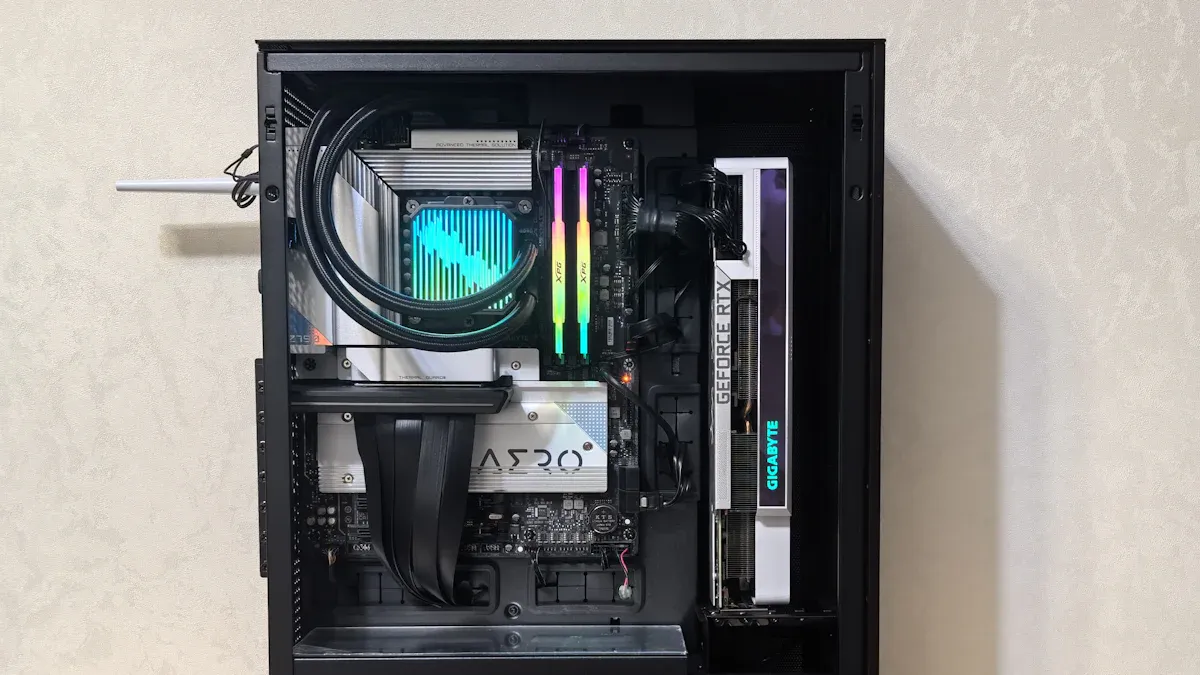
Liquid cooling metal material is a new way to cool gaming PCs. It helps your gaming setup stay cool and work fast. Gamers like cooling that moves heat away quickly because these methods:
Keep gaming parts working their best
Stop thermal throttling, which can mess up your game
You might ask what liquid metal cooling means, how it is different from regular cooling, and if everyone will use it soon. Let’s look at the facts together.
What is liquid metal cooling

How liquid cooling works
Liquid cooling is used in many gaming computers. This method uses a special liquid to take heat away from your cpu and other parts. Liquid metal cooling is a step beyond regular cooling. It uses liquid metal alloys instead of water or normal coolant. These alloys are made from gallium. Gallium stays liquid at room temperature. You put liquid metal between your cpu and the cooler. The liquid metal fills tiny spaces. It helps heat move faster. This keeps your gaming system cooler. You can use your hardware harder.
Here is a table showing the properties of liquid metal alloys:
Property | Description |
|---|---|
Liquid at Room Temperature | Gallium-based metals stay liquid at room temperature. |
High Thermal Conductivity | These materials move heat very well, so they are good for cooling. |
Non-Toxic | Gallium-based metals are safe and not toxic like mercury. |
Wets to Many Surfaces | They stick to many surfaces because of oxide pinning and wetting. |
Electrically Conductive | Liquid metals carry electricity, so you must keep them contained. |
High-Density, Low Viscosity | They are much denser than water but flow easily. |
Flexible and Stretchable Electronics | Their conductivity lets them connect flexible electronics. |
Liquid metal and thermal conductivity
You want your gaming pc to stay cool. High thermal conductivity helps with this. Liquid metal moves heat much faster than regular thermal pastes. You can see the difference in this table:
Material | Thermal Conductivity (W/mK) |
|---|---|
Gallium-based alloys | |
Traditional thermal pastes | 4 to 10 |
Liquid metal can reach up to 70 W/mK. Regular thermal pastes only reach 4 to 10 W/mK. You get better cooling and more stable performance. Liquid metal is best for high-performance systems and overclocking. Liquid metal is also electrically conductive. You must use it carefully to avoid short circuits. Liquid metal cooling gives you a big boost in heat transfer and thermal management. High thermal conductivity is important for gaming. Liquid metal changes how you think about cooling and conductivity.
Liquid cooling vs. traditional cooling
Performance and conductivity differences
You want your gaming computer to be fast and cool. The way you cool your cpu can change how well it works. Liquid metal cooling uses special alloys. These alloys move heat away much faster than regular thermal pastes. This means your cpu stays cooler. Your computer works better and does not slow down, even when you overclock. Overclocking means you make your hardware run faster than normal.
Traditional cooling uses pastes or pads. These do not move heat as quickly. Your cpu can get hotter. Your games might not run as well. Liquid metal cooling helps heat move away faster. You get lower temperatures and better performance. Liquid metal has much higher conductivity. Your system stays cooler when you play games for a long time.
Tip: If you want the best cooling for gaming, liquid metal cooling is a great choice. It keeps your cpu cool and makes your games run better.
Reliability and maintenance
You need to think about how hard it is to take care of your cooling system. Liquid metal cooling needs more care and skill. You must put on the liquid metal very carefully. It can cause short circuits if you spill it. Maintenance is harder, and you might need special tools or knowledge.
Traditional cooling is easier to use. You can put on thermal paste without much trouble. Taking care of it is simple. You do not need special skills. These systems are more reliable for most people.
Here is a table that shows how they are different:
Maintenance Aspect | Liquid Metal Cooling Systems | Traditional Cooling Systems |
|---|---|---|
Initial Costs | Higher initial investment | Lower initial costs |
Maintenance Complexity | Needs special knowledge | Easier to service |
Energy Efficiency | Uses less energy | Uses more energy |
Noise Levels | Quieter operation | Louder operation |
Suitability for High-Performance | Better for modern setups | May have trouble with heat |
You can see that liquid metal cooling costs more and is harder to use. It is quieter and saves more energy. It works better for powerful computers. Traditional cooling is cheaper and easier to take care of. It may not cool as well if your computer gets very hot.
Note: If you want easy care and good reliability, traditional cooling is a smart pick. If you want the best performance and cooling, liquid metal is better, but you need to be careful when you use it.
Advantages of high thermal conductivity cooling
Enhanced cooling efficiency
You want your gaming PC to work well. High thermal conductivity cooling helps keep it cool. This stops your computer from getting too hot. It also stops thermal throttling. Your cpu can run at its best. You get smooth games and steady frame rates. Good cooling keeps your hardware safe. It lets you use your system harder. If you do not cool your parts, they cannot work as well. Thermal throttling slows down your games. It also limits your hardware. Fast systems need cooling that moves heat away quickly. This gives you better performance and more stable gaming.
Quieter operation
Loud noise can bother you while you play. High thermal conductivity cooling often uses liquid cooling. These systems are quieter than air coolers. Pumps and radiators make less noise than fans.
Water cooling systems are usually quieter than air cooling systems since pumps and radiators in water all produce less noise compared to air cooling fans.
You get a quieter place to play. You can focus on your game. You do not hear loud fans. Cooling works better, and you hear less noise.
Overclocking and hardware lifespan
You may want to make your gaming PC faster. High thermal conductivity cooling lets you overclock safely. Overclocking means running your hardware faster than normal. Liquid cooling removes heat better than air coolers. Your cpu and other parts stay cooler when you play hard.
Liquid cooling systems move heat away better than air coolers. This keeps your parts cooler when you use them a lot.
If you like overclocking, liquid cooling is important. It lets you get more speed without hurting your hardware.
Tom’s Hardware found that liquid coolers can lower CPU temperatures by 20-30% compared to air coolers.
Too much heat can wear out your hardware faster. This can make your parts break sooner.
A good cooling system helps your games run better. It also helps your hardware last longer.
You keep your hardware safe and make it last longer. Good cooling and high thermal conductivity help your gaming PC work better and stay strong.
Challenges of liquid cooling
Cost and accessibility
Liquid cooling systems usually cost more than air coolers. Many gamers pick air cooling because it is cheap and easy to buy. Custom liquid setups need special parts and cost more money. You also pay more for fixing them later. If you want something in the middle, you can get an All-in-One cooler. These coolers work better than air coolers but do not cost as much as custom loops.
Air cooling is cheaper and fits most people’s budgets.
Custom liquid cooling needs more money for parts and care.
All-in-One coolers give you good performance for a fair price.
Installation complexity
Putting in a liquid cooling system is harder than using an air cooler. You need more skill to do it right. You must be careful with thermal compounds. Liquid metal compounds can carry electricity. If you spill them, you might cause a short circuit. Gallium in the liquid can hurt aluminum parts and make them weak. You have to follow every step closely so you do not make mistakes.
Tip: Always read the instructions and use the right tools when you work with thermal materials.
Hardware compatibility
Not every cpu or motherboard works with liquid metal cooling. Some metals, like aluminum, can react with gallium and get soft or break. This can ruin your cooling system. Most companies will not fix damage from liquid metal under warranty. If you use liquid metal, you might lose your warranty. Even a little bit of leftover liquid metal can make your warranty claim get denied, even if the problem is not from the thermal material.
Challenge | What You Need to Know |
|---|---|
Warranty | |
Corrosion Risk | Gallium can damage copper and aluminum parts. |
Overclocking Safety | High thermal conductivity helps, but only if parts match. |
You should always check if your hardware can use liquid cooling before you start. This helps you avoid big mistakes and keeps your gaming PC safe.
Mainstream adoption outlook
Market availability
There are more cooling products for gaming PCs now. In the last five years, companies and scientists made better thermal materials. A group at the University of Texas made a new thermal interface material. This material moves heat away from your cpu much better than old ones. It works 72% better than other choices. You can see how these new products compare in the table below:
Evidence Description | Details |
|---|---|
New Thermal Interface Material | Developed by researchers at the University of Texas, it outperforms existing solutions by 72%. |
Energy Consumption | Cooling accounts for roughly 40% of data center energy use, translating to around 8 terawatt-hours annually. |
Future Demand Predictions | Goldman Sachs predicts a 160% increase in data center power demand by 2030, with AI adding 200 terawatt-hours per year. |
Cooling Efficiency | The new TIM can dissipate 2,760 watts from 16 square centimeters, potentially reducing cooling energy usage by 65%. |
You can find more thermal products in stores and online. Companies sell liquid metal thermal compounds for people to use at home. These products help keep your gaming PC cool and safe. The market is getting bigger because more people want better cooling.
User and expert opinions
Lots of gamers want the best cooling for their computers. You read reviews and watch videos to learn about new thermal materials. Experts say liquid metal thermal compounds give you lower temperatures. You get better results when you play games or use heavy programs. Some users say their cpu gets much cooler after using liquid metal.
Experts warn you to be careful with these materials. Liquid metal can hurt some parts if you do not follow the rules. Most people agree the benefits are real if you install the thermal material the right way. You should always check your hardware and read guides before trying new thermal solutions.
Tip: Ask other gamers what they think about thermal materials. You can learn a lot from their stories and advice.
You can see liquid cooling metal material changing how gaming PCs stay cool. Most gamers do not need it now. But you might want it if you have a high-performance setup. If you want to upgrade, look for heatsinks made of copper or aluminum. Check if the model has more than one heat pipe.
The surface area is very important for cooling. Pick a design with more fins and grooves. This helps heat move away faster.
Make sure the heatsink fits in your case. It should not put too much weight on your CPU or motherboard.
Here is a table that shows what cooling trends may come:
Trend | Projected Growth Rate | Description |
|---|---|---|
Liquid Cooling Solutions | More people will use liquid cooling for better efficiency and reliability. | |
Heat Reuse Strategies | N/A | Using extra heat to save energy and help the environment. |
Analytics-Driven Approaches | N/A | Watching temperatures in real time to make cooling work better. |
You will see smarter cooling options and better designs soon. Stay updated and pick what is best for your gaming PC.
FAQ
What is liquid metal cooling?
Liquid metal cooling uses gallium-based alloys to move heat away from your CPU. You put it between the CPU and the cooler. It moves heat much faster than regular thermal paste.
Is liquid metal cooling safe for my gaming PC?
You have to be careful with liquid metal. If it touches electrical parts, it can cause short circuits. Always read the instructions and make sure your hardware works with it.
Does liquid metal cooling void my warranty?
Most companies will not fix damage from liquid metal. You should look at your warranty before you use it. Using liquid metal might make your warranty not work anymore.
Can I install liquid metal cooling myself?
You can put in liquid metal cooling at home. You need to be patient and have steady hands. Watch videos and read guides before you start. Use the right tools to stay safe.
See Also
Understanding Metal Substrates' Importance in Today's Industries
Magnesium Alloys: Transforming the Future of Lightweight Production
A Comparison of Steel, Titanium, and Aluminum in Robotics
Exploring the 2025 Aluminum Die Casting Trends in Automotive
Die Casting's Essential Role in Advancing Robotics Manufacturing
About Hunan Puka

Established in 2016 and based in Hunan, China, with a liaison point in Berlin, we are a Tier 2 supplier for the automobile industry. We specialize in the production of customized aluminum die-casting parts designed for machines with a closing force ranging from 280 to 1250 tons, with subsequent manufacturing process CNC machining and surface treatment. Our commitment to quality is reflected in our accredited quality management system, certified by ISO9001:2015 and IATF16949:2016 standards.